Article · For creative agencies
Sprint planning for creative agencies
Updated

Sprint planning in a creative agency means keeping every client's briefs, revisions and deliverables moving at once, without losing any of them in email. In Kanbanq a sprint is a cycle: a batch of work you close when the phase is delivered, not when a date comes round.
Every brief, in one cycle
See all active client work on one board, live for the whole team. No folders, no email chains, no wondering what is in progress.

Active work on the board. Briefs for later.
The board holds what the team is working on now. Upcoming briefs, new business pitches and ideas wait in Tasks for later, sorted by category and ready to pull in.

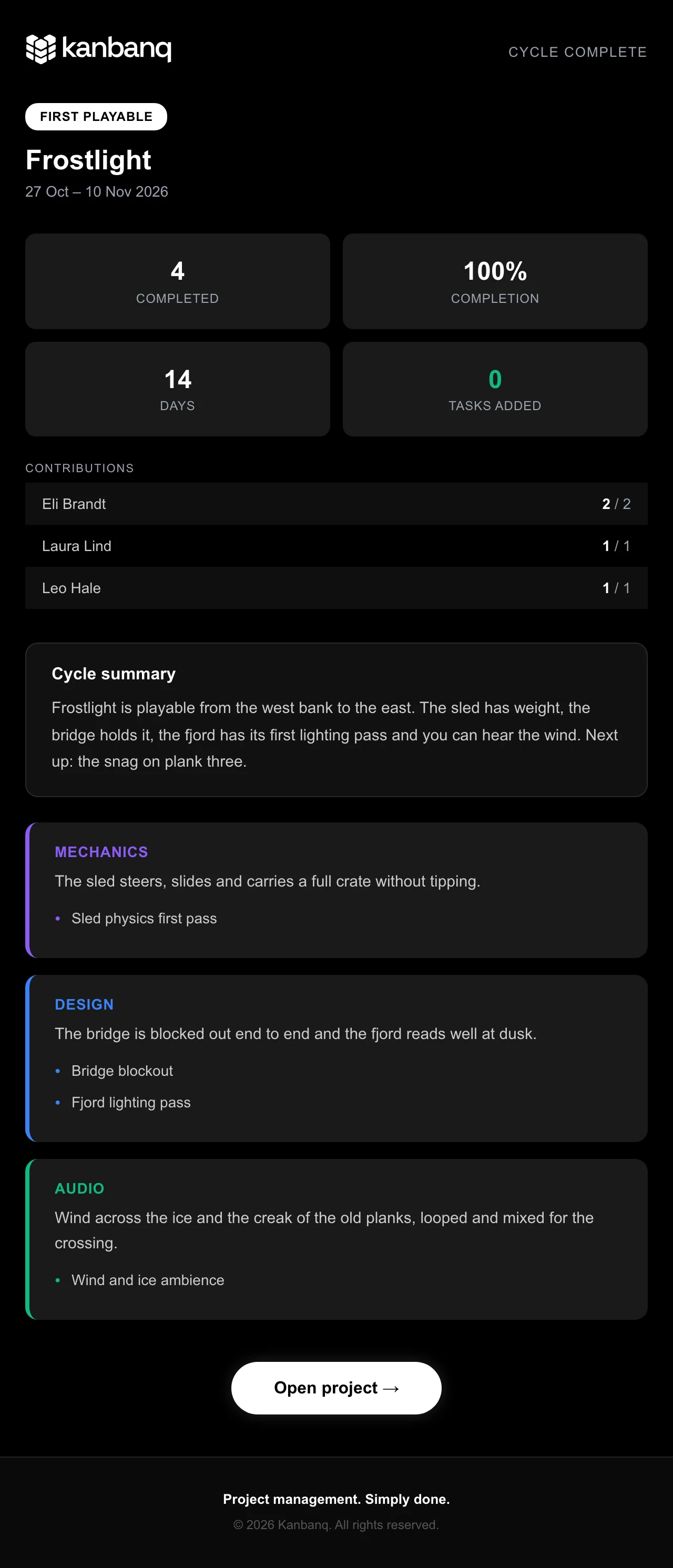
Delivered. Cycle closed. Client updated.
Done with a campaign phase? Close the cycle. It keeps what was delivered, and everyone on the board gets an email of it, with a written summary: a basis for the client update.
Every workflow a creative agency runs
Client work
Campaigns, feedback and revision rounds, with a category for each client so its work stays apart.
Production
Briefs on the cards, concept, creation and review as columns before Done, and motion and video beside the rest.
The team
Designers, copywriters and strategists on one live board, with pitches waiting in Tasks for later.
Questions from creative agencies
Clients and the board
Can clients see the board?
Yes, in one of two ways. Invite them, and they become a member who can change everything and talk in the board's conversation. Or publish the board, and anyone with its address can read it without an account and change nothing.
Can we share a board with a client who has no account?
Yes. Publish the board and send its address. The client sees it read only, with no account to make.
Can we track client feedback and revision rounds?
Yes. Log feedback as tasks and track which comments have been addressed. Add a Client review column before Done, so nothing gets lost between email threads and the board.
Can freelance creatives join the board?
Yes. Invite them. Free has no limit on people, so on Free adding freelancers adds nothing to the bill.
Running the work
How does Kanbanq work for several clients at once?
Give each client a project of its own, open to the workspace or private to the people on it. Or keep everything on one board with a category for each client, and filter by category to see one at a time.
How do we handle several campaigns at the same time?
Give each campaign a category. For full separation, give a campaign a project of its own; for one view of everything, keep the categories on one board.
How do cycles work for a creative agency?
A cycle closes when a phase is delivered (a campaign launch, a brand handoff, a round of revisions), not on a fixed date. It keeps what was delivered, with a written summary: a basis for the client update.
Can we track time spent on client work for billing?
Kanbanq does not track time. A closed cycle keeps every task completed in that phase, which you can bill against. Keep your time tracking tool if you log hours.