Article · For design studios
Managing work for later in a design studio
Updated
A studio is always holding more than it is making: the next brief, a pitch, round three of a logo, a client's "one quick tweak". Put all of it on the board and nobody can see what is actually under way.
Backlog management for a design studio comes down to two places. Kanbanq calls the second one Tasks for later.
Two places for the work
Tasks for later hold everything that is not for now, sorted by category: a category for each client, or for brand, digital and print. New briefs and pitches wait here, out of the way.

The board holds only what the studio is working on, live for everyone. Give it a background worth looking at: a photo, a gradient or a picture of your own.

If it is on the board, someone is making it. If it is not, it is waiting its turn.
A revision round, start to sign-off
- 1
Feedback becomes cards
When the client's notes arrive, make a card for each change and park them in Tasks for later, under that client.
- 2
Pull the round onto the board
When you are ready to work on it, drag the round onto the board. Everyone sees who has which change.
- 3
Client review before Done
Add a Client review column before Done. A card moves on when the client signs off, not before.
- 4
Close the cycle
When the round is signed off, close the cycle. It keeps what was revised, with a written summary: useful when scope creep becomes a conversation.

Every file, on its card
Attach the work to the card it belongs to. Images, the first page of a PDF, video, sound and 3D models open right on the card, and Markdown reads as a page. Put the Figma link beside them.
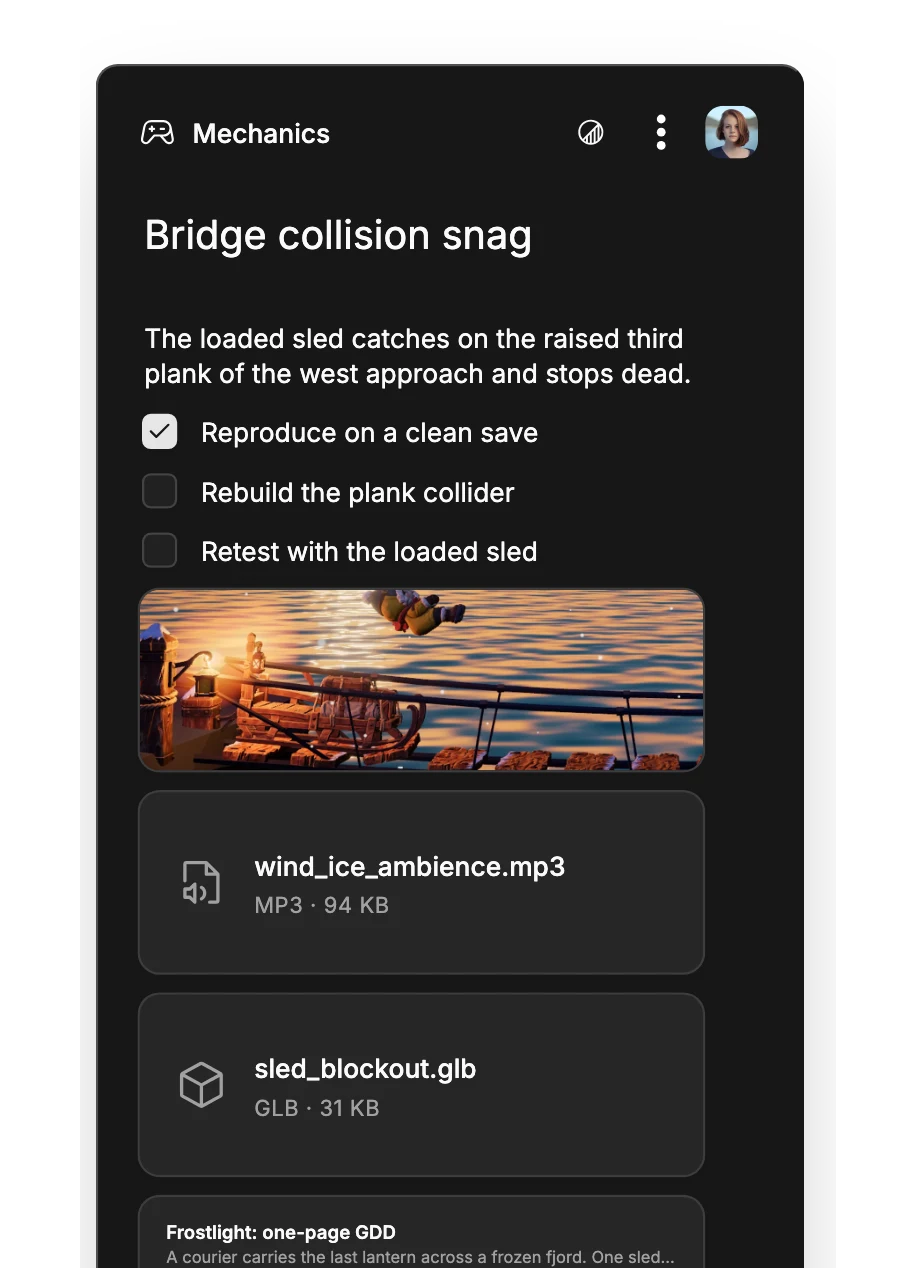
Motion work too: attach the animatic or a render, and it plays on the card where the client's notes are.

Kanbanq has no due dates or proofing today. Due dates are coming soon.
One price for the whole studio
€0
for any number of people, freelancers included
€9
a month on Pro, for up to 10
€49
a month on Team, for up to 30
Questions from design studios
Work that waits
How does Kanbanq help a design studio manage what waits?
Tasks for later hold every client project, revision request and new brief that is not being worked on. When one is ready, drag it onto the board. The board stays focused, and nothing waiting is forgotten.
Can I track several client projects at the same time?
Yes. Give each client a category and filter the board by it to see one at a time. For full separation, give a client a project of its own.
How do cycles work for a design studio?
A cycle is a phase of work: a brand delivery, a round of revisions. Close it when the work is done. It keeps what was completed, with a written summary, for handoff notes and billing.
Is Kanbanq good for a solo designer?
Yes. Tasks for later keep incoming work in order without cluttering the board, which shows only what you are working on this week.
Clients and handoff
Can clients see our board?
Yes, in one of two ways. Invite them, and they become a member who can change things and talk in the board's conversation. Or publish the board, and anyone with its address can read it without an account and change nothing.
Can I manage Figma handoffs and file deliveries in Kanbanq?
Yes. Make a card for each deliverable and move it through a Handoff column. Put the Figma link on the card, and attach the exported files so they open right there.