Article · For marketing teams
Project board for marketing teams
Updated

A project board for a marketing team has one job: show what is going live this week, and who is on it. Most teams keep that across a content calendar, three documents and a spreadsheet, then rebuild it as a status deck every Friday.
Kanbanq is one live board for campaigns, content and social, with everything else waiting for later and a recap that goes out when the campaign closes.
Campaign, content, social. One project board.
Every post, asset and launch task is a card with one owner. Give each channel or campaign a category, filter to see only social or only the launch, and attach the brief, the copy and the cut of the ad to the card itself. The video plays and the Markdown reads right there.


A launch, from brief to recap
- 1
Write the launch as cards
One card for everything that must be true on launch day: the page, the email, the posts, the press release. Ideas for after the launch go to Tasks for later.
- 2
Bring product and sales in
Invite them to the board. Free has no limit on people, so the whole launch team is on it, freelancers included, at no cost.
- 3
Add a review column
Put Review between In Progress and Done for copy and creative waiting on sign-off. A person moves the card on when it is approved.
- 4
Close the cycle when it is live
Press Complete on Done. The launch's cards are archived, the next cycle opens, and everyone gets the recap by email.
Kanbanq has no calendar view or due dates today, so keep the publishing calendar where it is. Due dates are coming soon.
When someone asks whether the press release is done, the answer is on the board.
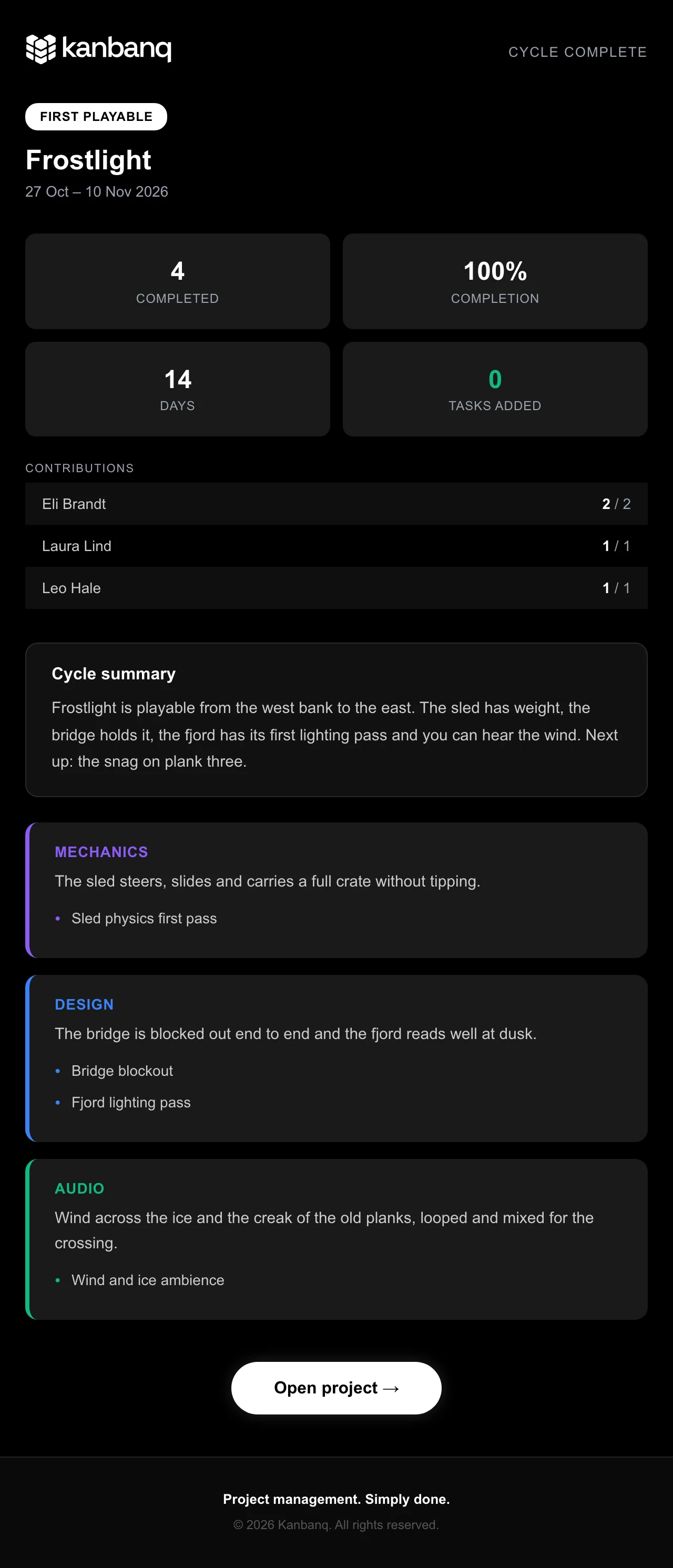
Campaign wrapped. Recap sent.
Close a cycle and it keeps what went live, by category and by person. Everyone on the board gets an email of it, with a written summary: a report for leadership without an afternoon spent on slides.

The whole team, for nothing
€0
for the whole marketing team, freelancers included
250
active tasks on Free
1
address to share the board, read only, with leadership
Questions from marketing teams
Running campaigns
How does Kanbanq work for a marketing team?
The board holds what the team is working on now: live campaigns, content in production, launch tasks. Tasks for later hold everything else, from next quarter's campaigns to growth ideas, sorted by category.
Can we track campaigns and content on the same board?
Yes. Give each campaign, channel or type of work a category, and filter the board to see only content, only social or only the launch when you need a focused view.
How do cycles work for marketing?
A cycle is a batch of work you close when it is done. Close one when a campaign goes live or a round of publishing is out, and it keeps what went live, by category and by person.
Can we run an editorial plan on it?
Yes, as a card for each piece moving through Draft, Review and Done. Put a Published column before Done rather than after it, because only Done is archived when a cycle closes.
The wider team
Can the whole marketing team see the board?
Yes. Free has no limit on people, so content, social, design and the freelancers you work with are all on the same board, at no cost.
How do we coordinate a launch with product and sales?
Invite them to the launch's board. Every team tracks its own launch tasks in the same place, and asks its questions in the project feed beside the cards.
Can leadership or a partner follow along?
Publish the board and send its address. Anyone with it can read the board without an account and change nothing. For the record, every closed cycle keeps what went live and who did it.
How does pricing work for a marketing team?
Free has no limit on people and holds 250 active tasks. Pro has no limit on tasks. Every plan and its price is on the pricing page.