Article · For content creators
A content board for creators
Updated
Ideas in your notes app, feedback in the comments, the edit in a shared folder and the sponsor's brief in your inbox. A content board puts the whole pipeline in one place, and a feedback board for content creators is mostly a place to log what the audience asks for until you are ready to make it.
Your whole crew, free
€0
for you, your editor, your designer and your manager
250
active tasks on Free; published batches stop counting
100 MB
a file on Pro, so the cut fits on the card
One video, idea to published
Park the idea
Every idea and audience request becomes a card in Tasks for later, sorted by category: long videos, shorts, the newsletter. No pressure to make any of them yet.

Pull it into production
When you are ready, drag it onto the board. Script, filming and editing are columns, and the board wears a background of your choosing.

Review the cut on the card
Attach the cut to the card, with the voiceover and the music beside it. Video and sound play right there, so feedback happens where the work is.

Talk it through beside the board
Notes go in the project feed beside the cards. Mention your editor with @ and link the video's card with #, so nobody digs through messages.

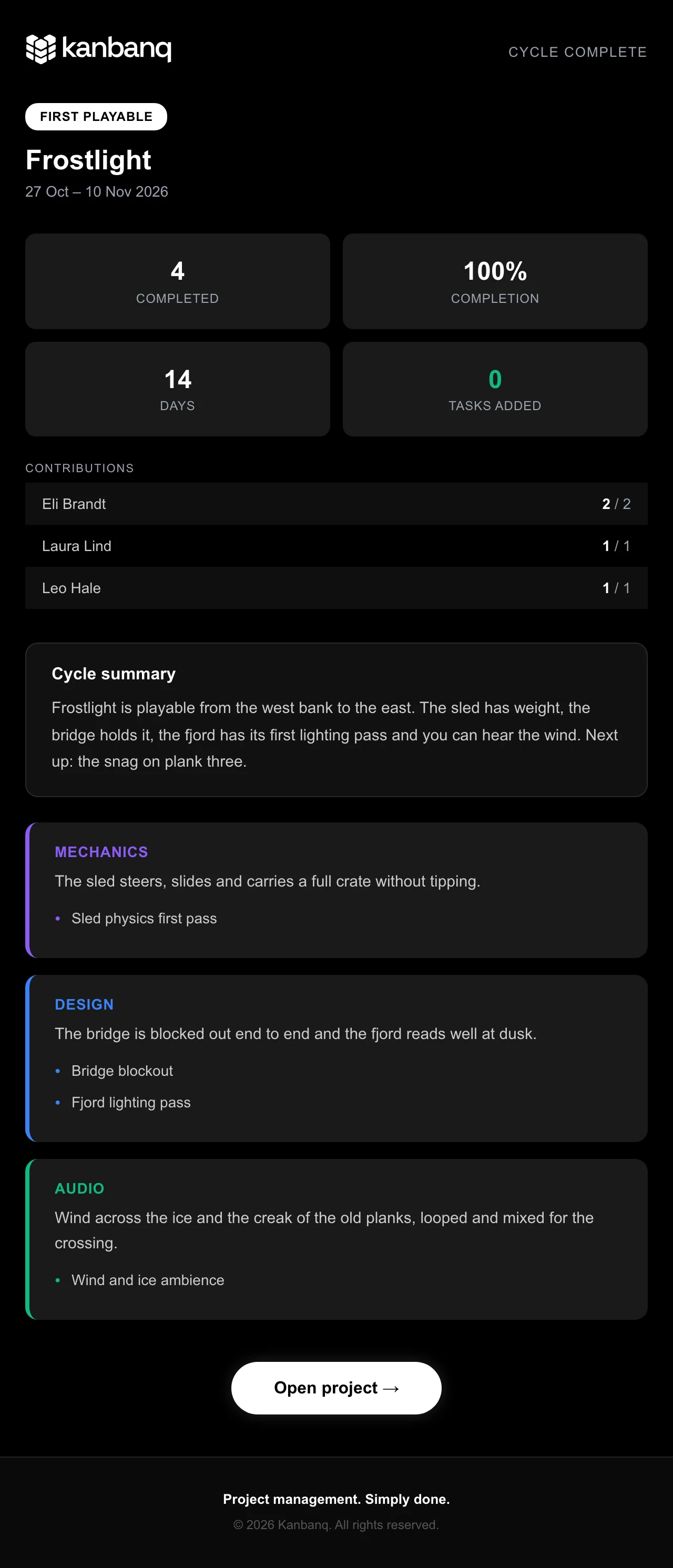
Batch live: close the cycle
When a batch is published, close the cycle. Everyone on the board gets an email of what went live, with a written summary: a head start on the sponsor report.
Columns that suit a channel
Idea
Only the ones you have chosen. The rest wait in Tasks for later.
Script
The outline on the card, the hook as its first line.
Filming
Shot lists as checklists, ticked off on set.
Editing
The cut attached, notes in the feed.
Thumbnail
Options on the card, the winner as its cover.
Published
Rename Done. Closing the cycle archives it.
Kanbanq has no calendar today, and it does not post for you.
Every idea gets a card. Only the good ones get the board.
Questions from content creators
Planning content
How does Kanbanq work as a content calendar?
It is a board rather than a calendar: there are no dates. The board shows everything in production, and Tasks for later hold the ideas. Rename Done to Published, because Done is what a closing cycle archives.
Can I plan YouTube video productions in Kanbanq?
Yes. Make a card for each video and move it through your columns: idea, script, filming, editing, thumbnail, published. When a batch goes live, close a cycle.
How do I plan batch filming sessions?
Name a cycle Batch filming and add one card for each video. Move them to Editing as you film, and close the cycle when every video is through. It keeps a record of the whole batch.
Can I use it as a feedback board for my audience?
As your own log of it, yes: keep audience requests as cards in Tasks for later and let them shape what you make next. A published board is read only, so viewers cannot vote or comment on it.
Working with others
How do I manage collaborations with other creators?
Make cards for each collab, from brief to publishing, and invite your collaborator to the board. They update their own cards, and nobody has to ask where things stand.
Can I track brand deals and sponsorship deliverables?
Yes. Give brand deals a category and each deliverable a card, with its date in the title. A closed cycle keeps what you delivered, so the record builds up month by month.
Can I share my content plans with a manager or sponsor?
Yes. Publish the board, and they see what is in production from a link, with no account and nothing they can change. Or invite them as a member.
How does pricing work for creators?
Free has no limit on people and holds 250 active tasks. Pro has no limit on tasks and takes larger files. Every plan is on the pricing page.