Article · For remote teams
Real-time collaboration for remote teams
Updated
Remote team collaboration usually fails in the gaps between people's days. Someone finishes at six, someone else starts at nine in another country, and the only record of what happened is a thread nobody wants to scroll.
Kanbanq gives the team one board that is always current, with the questions kept beside the work. Here is one working day on it.
Remote team collaboration across three time zones
Morning in Lisbon: pull the day's work
The designer moves the next card from Tasks for later onto the board. Nobody has to be told: the board changes for everyone who has it open.

Morning in Toronto: ask on the card
The developer has a question about the design. They ask in the project feed and link the card with #, so the answer will be waiting beside the work, not in a thread.

Morning in Seoul: pick up where Toronto stopped
The card is in Review with its answer in the feed. The tester opens it, checks the screenshot and the checklist, and moves it to Done.

Friday: close the cycle, skip the call
Press Complete on Done. Everyone gets an email of what was finished and who did it, whenever they are next online, with a written summary.
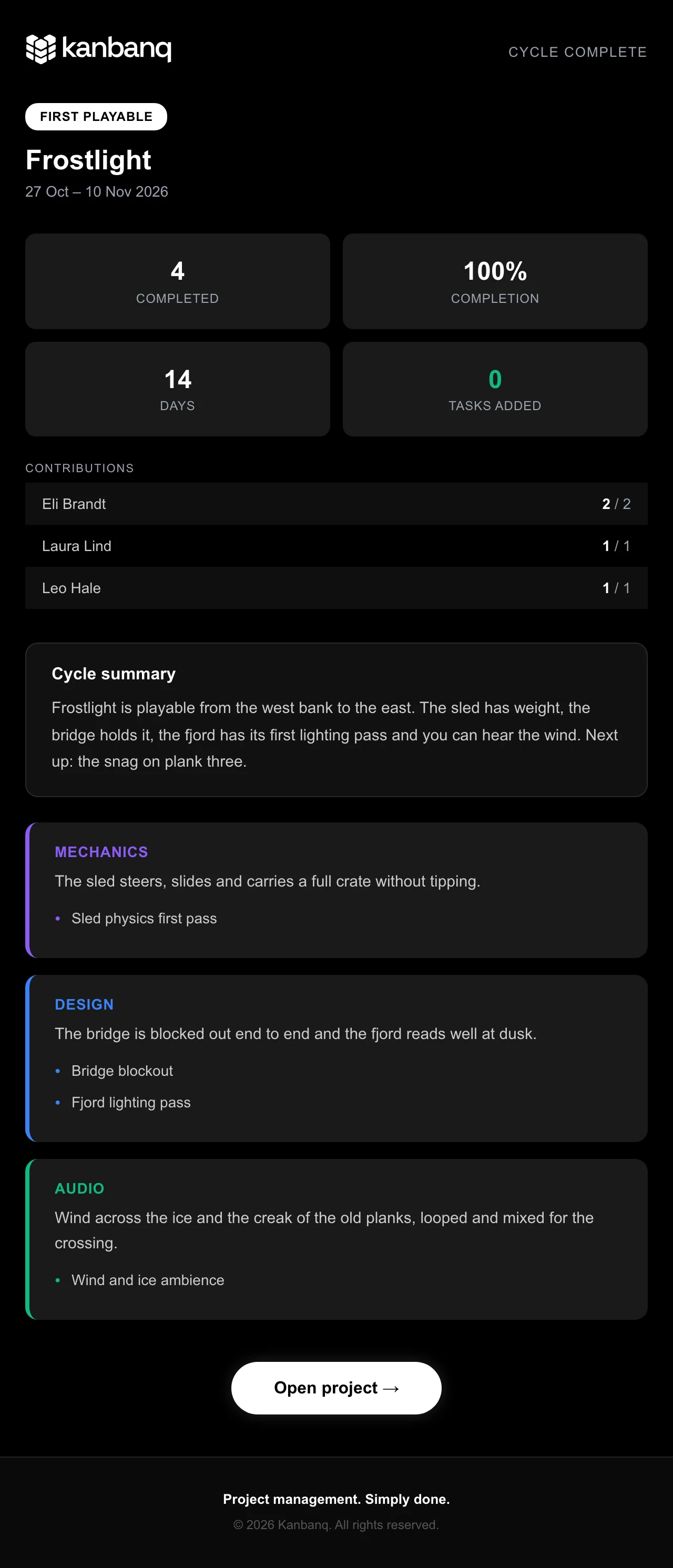
The board answers “what did I miss?” before anyone has to ask.
Works for every kind of remote team
Async stand-ups
Everyone moves their cards as they work, and the board shows progress without a meeting.
Notifications that wait
Notifications arrive in the app and in email digests, so nothing depends on being online.
Hybrid teams
The office and the people at home look at the same board, live.
Contractors
Invited to the board they work on, at no charge on Free.
Kanbanq has no scheduling or video calls today: it is the board your other tools point at.
Free for the whole team, wherever it works
€0
for any number of people, in any country
250
active tasks on Free
1
email to everyone when a cycle closes
Questions from remote teams
Working apart
How does Kanbanq handle different time zones?
The board is always current, so whoever opens it, at whatever hour, sees where the cycle stands. When a cycle closes, everyone gets the same email of what was finished, whenever they are next online.
What is the best way to run stand-ups on Kanbanq?
Let the board be the stand-up. Everyone moves their cards as they work, and the lead reads the board at the start of their day. A question about a card goes in the project feed, linked with #.
How do live cursors help a distributed team?
When several people have the board open, you see their cursors move. It tells you who is around and what they are looking at, without a ping.
Is Kanbanq good for async-first teams?
Yes. The board says what is happening without anyone having to report it, notifications wait in the app and in an email digest, and closed cycles keep a record of what was done.
Setting it up
Can different parts of the team have their own boards?
Yes. Engineering, design, product and ops can each have a project, open to the workspace or private to the people on it.
Can we add contractors?
Yes. Invite them, and keep any project they should not see private to the people on it. Free has no limit on people, so a contractor costs nothing to add.
Does it work on a phone?
It works in a phone's browser. There is no app to install.
How does pricing work for remote teams?
Free has no limit on people and holds 250 active tasks. Pro has no limit on tasks. Every plan and its price is on the pricing page.